Manufacturing

The part was bought when the line went down. The order was raised afterwards.

Breakdown buying, part deliveries, price lists that move and plants that each buy their own way. Webexpenses puts the order, the receipt and the invoice in one place, so you know what you’ve committed to before the money goes.

Sound familiar?

The line went down, so someone bought the part

Breakdown buying happens on a card or a phone call, and the order gets raised afterwards, if it does at all. Maintenance spend is the least visible spend in the plant.

Half the delivery arrived

Goods-in has the delivery note. AP has the invoice for the full amount. Neither can see the other, so the invoice waits or gets paid in full.

The raw material price moved

The supplier’s price list changed. The purchase order still says the old price. You find out when the variance shows up in the margin, not before you approve it.

Each plant buys its own way

Different suppliers, different codes, different approval habits. Group finance can’t see what the business spends with one supplier across all sites.

Customer orders arrive in the customer’s format

Product codes that don’t match yours, prices that don’t match the agreed list, and a sales order keyed in by hand.

The engineer is on a customer’s site

Service engineers and sales reps claim mileage and parts weeks later, and shift supervisors approve when they get to a desk.

Get your P2P Control Score →

The AI FinOps Platform

Five modules that stop spend getting ahead of you

Purchase Orders

Requests raised in one place and approved against budget and policy before the money is committed. Nothing bought off-contract.

Explore Purchase Orders →

Accounts Payable

Invoices read as they arrive, matched to the order and the receipt, and routed to whoever can approve them. More volume, same team.

Explore Accounts Payable →

Contract Management

Every agreement in one place, key dates in view, renewals flagged before the date. Spend checked against the terms you actually agreed.

Explore Contract Management →

Order Management

Customer orders captured as they arrive and checked against your pricing and product codes. Orders in, sales orders out.

Explore Order Management →

Expense Management*

Out-of-pocket claims, mileage and card reconciliation. Policy applied as the claim is entered, and people paid without the chase.

Explore Expense Management →

*Expense Management is available today as a standalone Webexpenses product. Full integration with the platform is coming soon.

From purchase request to posted invoice

1

Request. A purchase is raised in one place and approved against budget and policy before the money is committed.

2

Receive. The receipt is recorded against the order for what actually arrived.

3

Read. The supplier invoice is read as it arrives, line by line, with no re-keying.

4

Match. The invoice is checked against the order, the receipt and the agreed price. A price variance or an invoice with no order is flagged before anyone approves it.

5

Post. Approved, coded data is written to your ERP. Your team handles exceptions, not entries.

See three-way matching → and Explore Contract Management →

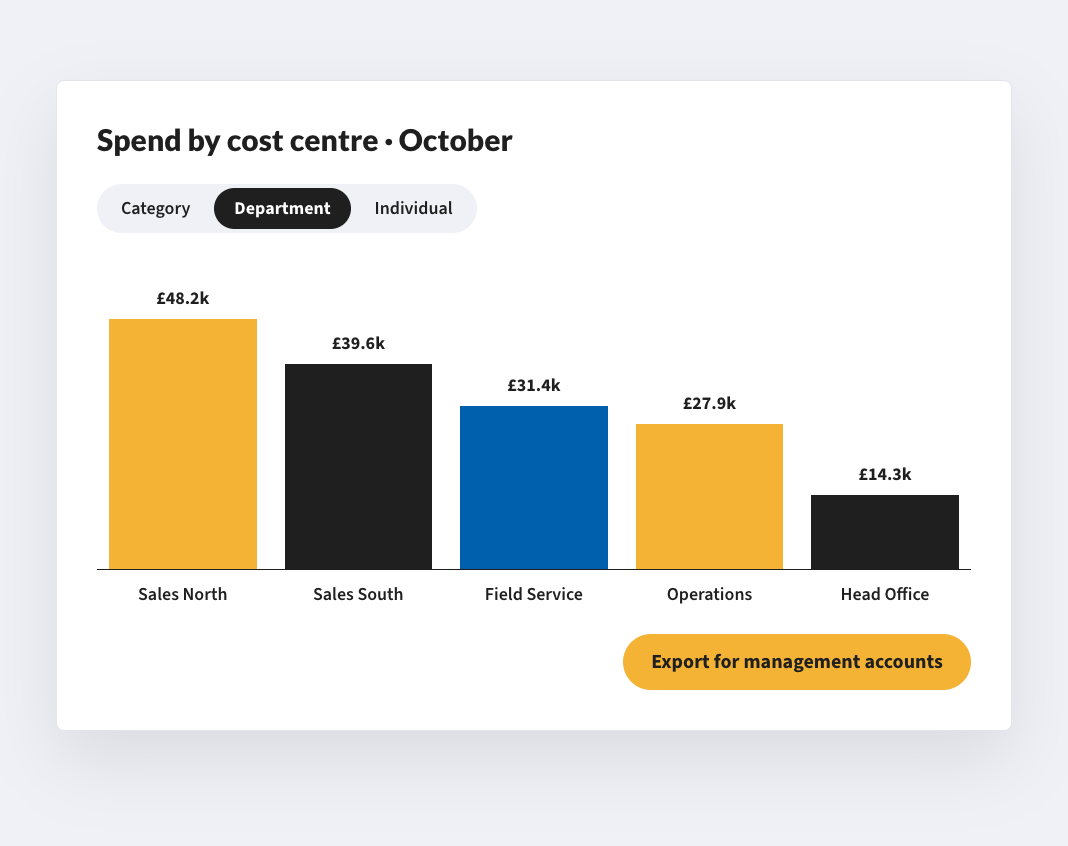
One view across every plant and cost centre

One view across every plant and cost centre

Two plants or twenty. Cost centres, departments and locations are set up once, and every order, invoice and claim lands in the right one. Finance sees the whole operation without consolidating anything by hand, and each plant manager sees their own spend.
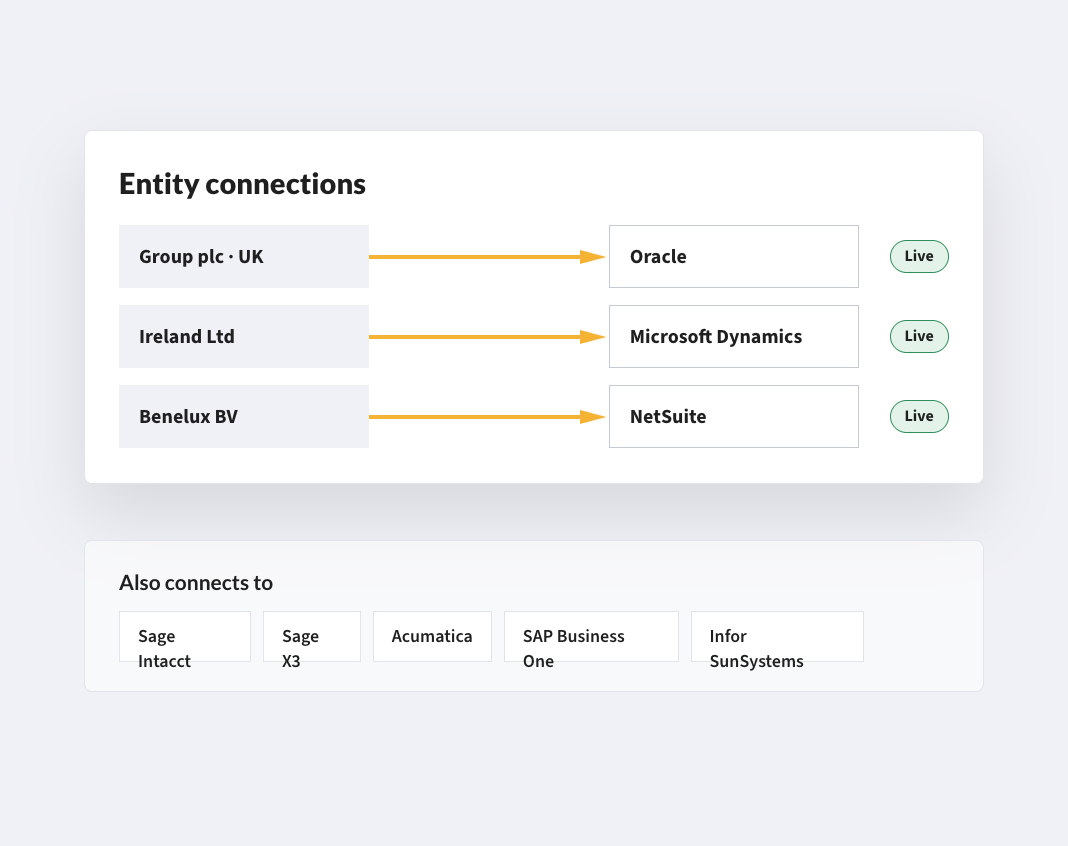
Your ERP gets the data. You don’t move it.

Your ERP gets the data. You don’t move it.

Approved, coded data posts to your accounting system without re-keying. Webexpenses has native connectors for Oracle, Sage Intacct and Sage 200, so standard set-ups need no middleware or custom development. Technical documentation is in the Trust Centre without a sales call.
See all integrations →

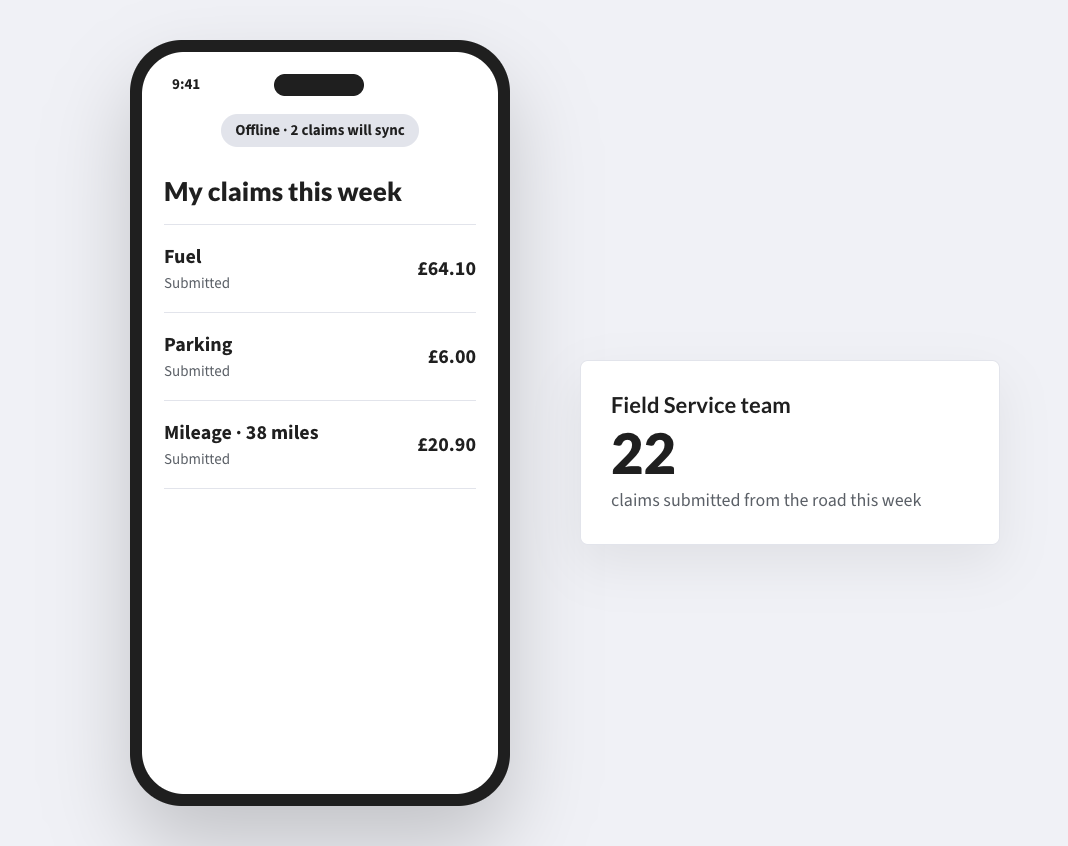
Expense Management for people who are never at a desk*

Expense Management for people who are never at a desk*

Service engineers, sales reps, plant managers and operations staff claim from their phones: scan the receipt, pick the cost centre, done. AI-powered receipt scanning fills in the detail. Mileage between sites and customers is GPS-tracked and rated at HMRC rates. Managers approve with a push notification, whatever shift they are on.

*Expense Management is available today as a standalone product. Full integration with the platform is coming soon.

CUSTOMERS

Manufacturers already run on Webexpenses

1 role
freed up for higher-value work, across 400+ employees

“Webexpenses is brilliant, it’s an online tool that has saved us a significant amount of time. Our sales team and technicians use the app and they think it’s great.”

MieleFinance Controller
8 hours
a month saved by the finance team

“The system is fantastic for being able to pull all the information together needed for reporting, and having an audit trail is a massive benefit.”

Uzin Utz UKFinancial Controller
Same day
transaction processing, down from a 3-day delay

“Now, with the Expense Cards, the transactions are coming through a lot quicker on our accounting system and the card users can upload their transactions a lot quicker when they do it.”

MITAccounts Manager

FAQs

We run multiple shifts. How does Webexpenses handle people who aren’t on standard hours?

Claims can be submitted and approved at any time. Approvals route by role, not by schedule, so a night shift supervisor gets a push notification when a claim comes in, whenever that is.

How does the ERP integration work? Is it a native connector or middleware?

Native connectors for Oracle, Sage Intacct and Sage 200, with no middleware or custom development for standard set-ups. Technical documentation is available in the Trust Centre without a sales call.

Can Webexpenses handle expenses in multiple currencies for our non-UK sites?

Yes. Employees claim in local currency, Webexpenses applies the exchange rate, and the claim posts to your ERP in your base currency. The exchange rate source is configurable.

Can we set different policies for different sites or departments?

Yes. Spending limits, category restrictions, receipt requirements and approval thresholds can be set by department, cost centre, site or individual. Central finance manages the configuration and each site works within it.

Do we have to buy the whole platform?

No. Expense Management is available today as a standalone product. Other modules start with a discovery call so we can scope what you need.

How long does it take to get live?

Expense Management is set up in five phases: onboarding, integration, presentation, testing and migration, then launch and hypercare, with our team alongside you throughout. Platform modules start with a discovery call, where we scope what you need and how it would be set up.

Close the gap between the order and the invoice

Know what you’ve committed to buy, and what has arrived, before the invoice does.

See how your purchase-to-payment controls score →

Platform

FRONT OFFICE

BACK OFFICE

Capabilities

EXPENSES

ACROSS THE PLATFORM

TRUST AND ROADMAP