
When claims arrive late, GL codes need correcting, and card statements need manual matching, your close takes as long as the people involved. Webexpenses fixes the process, not just the symptoms. Claims land in your ERP ready to post, so the month closes when you’re ready, not when the last submission arrives.
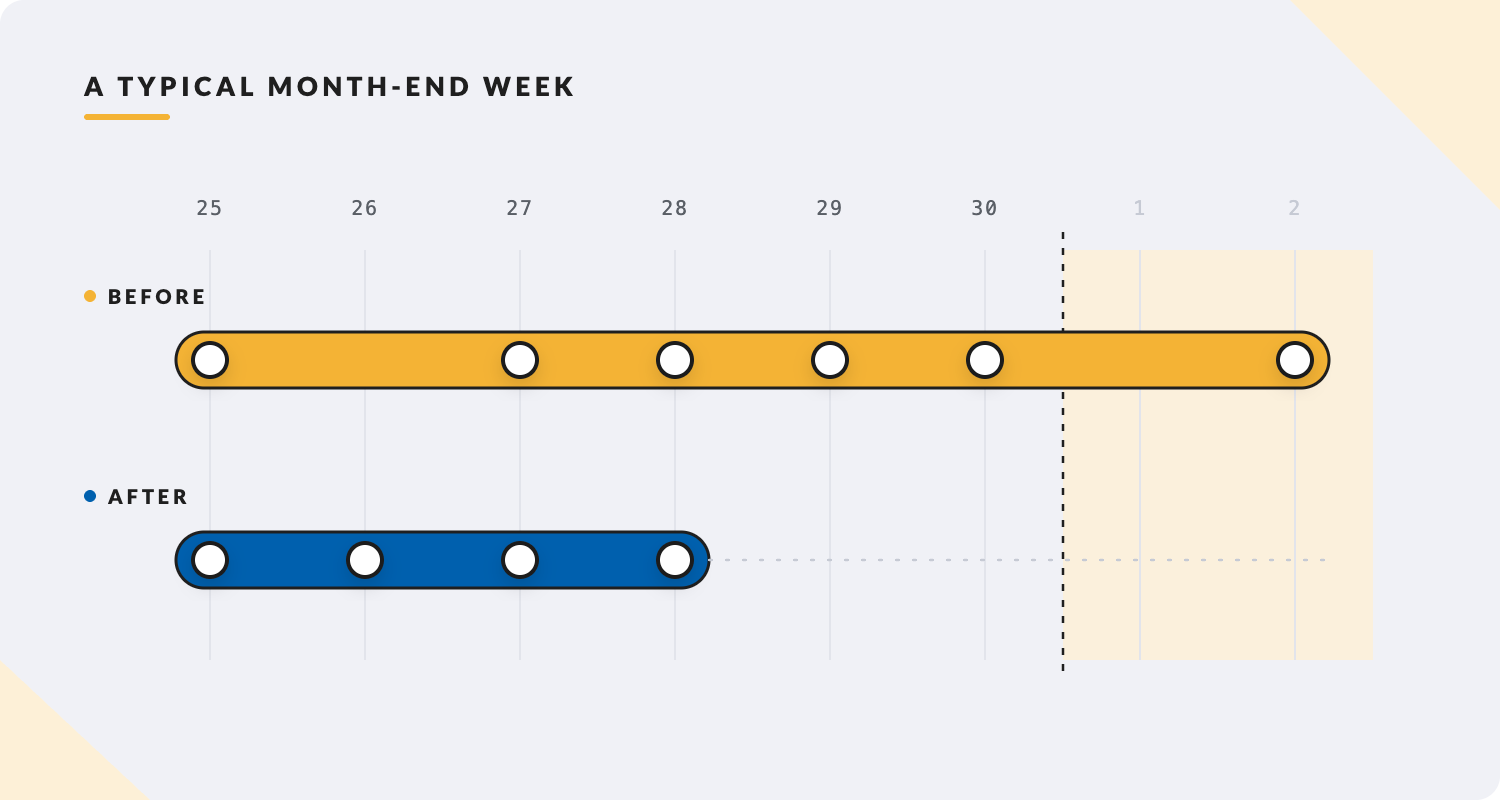
Finance Controllers know this sequence well. The last few days of every month are dominated by the same tasks: chasing late submissions, correcting GL codes someone else allocated, manually matching card transactions, pushing data into the ERP, fixing the import errors, and then doing the close.
None of that is high-value work. All of it exists because the expense data wasn’t clean when it arrived. Webexpenses makes it clean at source, before it reaches you.
Cost centres, GL codes, project codes, VAT treatment: employees select from the right options at the point of claim. Finance Controller configures which options appear. The result: claims that arrive already coded to your chart of accounts, not described in free text that someone has to interpret and recode before posting.
Webexpenses integrates directly with Xero, Sage, NetSuite, SAP, Oracle, Microsoft Dynamics, and 50+ other systems. Approved claims post to your accounting system without a manual export step. No CSV. No import mapping. No reconciliation between what’s in Webexpenses and what’s in the ERP. They’re the same data.
Corporate card transactions feed directly into Webexpenses. Receipt matching pairs transactions to employee receipts using intelligent matching. Unmatched items are flagged for review, not buried in a spreadsheet for someone to sort at month-end. Your reconciliation goes from a multi-day exercise to an exceptions-only process.
Coleg Cambria (1,100 employees) moved from a monthly payment run to a fortnightly one after switching to Webexpenses, cutting the payment run itself from 2 to 3 days down to 3 to 4 hours. It’s evidence for the payment-processing leg of the close specifically, not the whole month-end cycle, so keep the claim scoped to that: the payment run got faster, which is what let them close more often, not just faster.
Their finance team put it simply: moving off a slow, manual payroll exercise let the college shift to fortnightly cycles, giving staff more frequent chances to submit claims. Full case study linked below.

“It won’t let you submit a claim until you have completed all the mandatory fields. For me, that’s a big win. In terms of time saving, this has at least halved the old processing time.”
Curaden, expense processing time halved
We have native, pre-built connectors for SAP, Oracle, Microsoft Dynamics (365, GP, NAV), NetSuite, Sage (50, 200, Intacct, X3), Xero, QuickBooks, and 50+ others. These are two-way integrations: data moves in both directions without manual intervention. The full list is on our integrations page.
Changes in your ERP pull through to Webexpenses automatically via the two-way sync. New cost centres, updated GL codes, changes to project structures: they appear in the employee submission options without anyone updating a spreadsheet.
Yes. The reporting module lets you build custom reports across any combination of dimensions: spend by category, department, individual, cost centre, project, date range. Export-ready in multiple formats. If you need a report that doesn’t exist, you can build it without involving us.
Multi-currency is supported. Employees submit in local currency. Webexpenses applies the correct exchange rate and posts to your ERP in your base currency. Exchange rate source and rounding methodology are configurable.
When expense data arrives in your ERP already coded and reconciled, month-end stops being a sprint and starts being a process. Webexpenses gets you there.
Platform
FRONT OFFICE
BACK OFFICE
Capabilities
EXPENSES
ACROSS THE PLATFORM
TRUST AND ROADMAP