Construction & Property

Find out what a job costs while you can still do something about it.

Orders, subcontractor invoices, site spend and mileage are coded to the job when they happen, so overruns show up before the money has gone.

Sound familiar?

The materials were ordered from the site cabin

Plant hire and materials get bought on a card or a phone call, and the job only sees the cost when the invoice lands.

The application for payment doesn’t match the valuation

Subcontractor applications arrive late and don’t line up with what was valued, so someone rebuilds the position by hand before every payment run.

Margin fades quietly

Costs arrive after the work is done, and you find out where a job really landed at the final account.

Subcontractors start and finish by the week

Access and claims lag behind contracts that begin and end faster than the admin does.

The surveyor is on the valuation round

Teams moving between appointments and properties struggle to log mileage accurately, and client rebilling depends on it being right.

Six sites, six ways of coding

Job codes and cost types get used differently on every site, and finance spends month-end correcting them.

Get your P2P Control Score →

The AI FinOps Platform

Five modules that put cost against the job as it is committed

Purchase Orders

Requests raised in one place and approved against budget and policy before the money is committed. Nothing bought off-contract.

Explore Purchase Orders →

Budgets

Budgets structured the way your business is, with every commitment measured against the right one before it is approved.

Explore Budgets →

Accounts Payable

Invoices read as they arrive, matched to the order and the receipt, and routed to whoever can approve them. More volume, same team.

Explore Accounts Payable →

Contract Management

Every agreement in one place, key dates in view, renewals flagged before the date. Spend checked against the terms you actually agreed.

Explore Contract Management →

Expense Management*

Out-of-pocket claims, mileage and card reconciliation. Policy applied as the claim is entered, and people paid without the chase.

Explore Expense Management →

*Expense Management is available today as a standalone Webexpenses product. Full integration with the platform is coming soon.

From order to job cost

1

Order. A purchase is raised for the job and approved against the job budget before the money is committed.

2

Read. The subcontractor or supplier invoice is read as it arrives.

3

Check. It is matched to the order and checked against the terms you agreed.

4

Code. The cost is coded to the job, phase and cost type.

5

Post. Coded data is written to your ERP, and committed cost sits against the budget as it builds.

Explore Budgets → and Explore Contract Management →

Committed, not just claimed

Committed, not just claimed

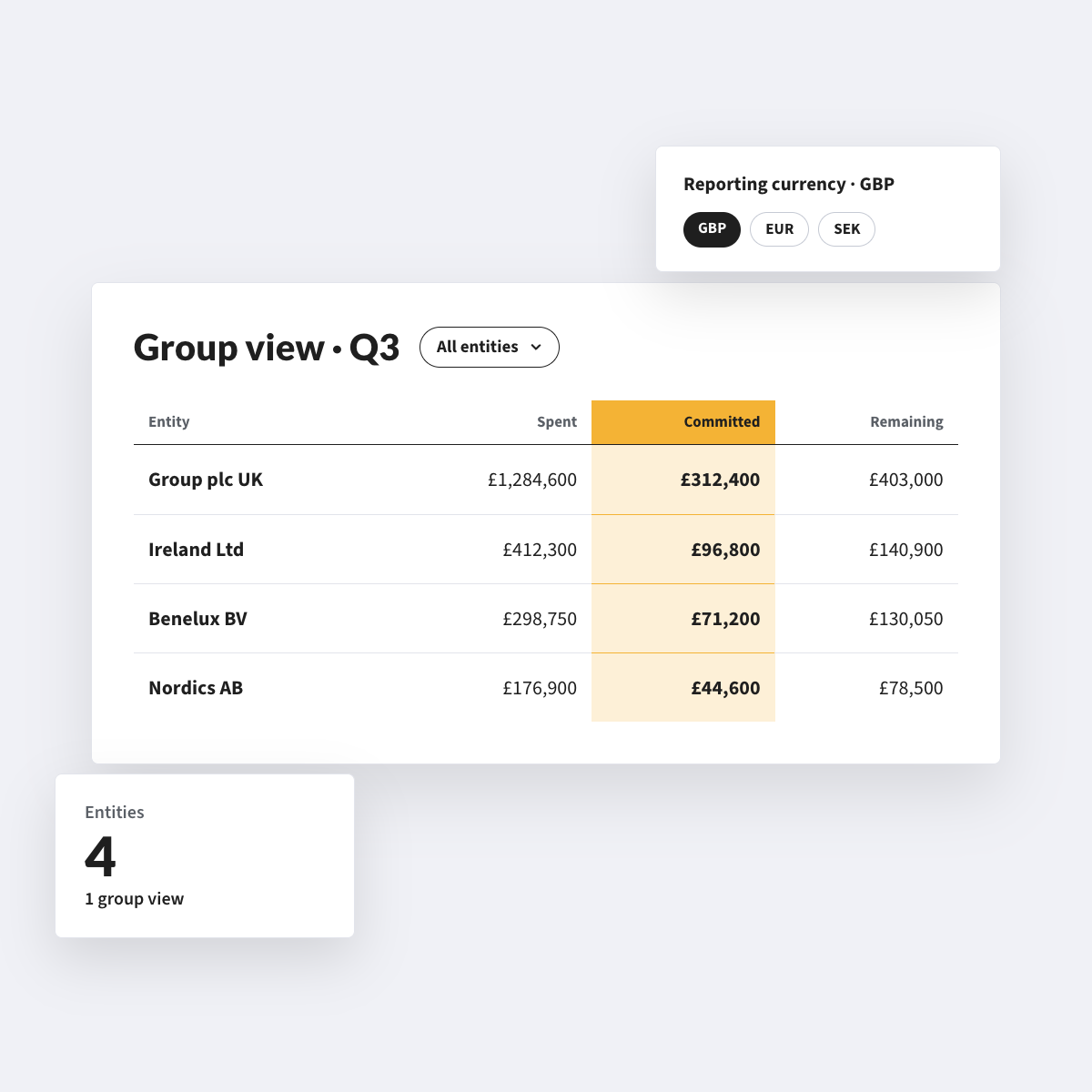
Budgets shows the live position against each job: what has been spent, plus what is already promised. A site running hot shows up while there is still something to do about it, not at the final account.
From site or valuation, to signed off

From site or valuation, to signed off

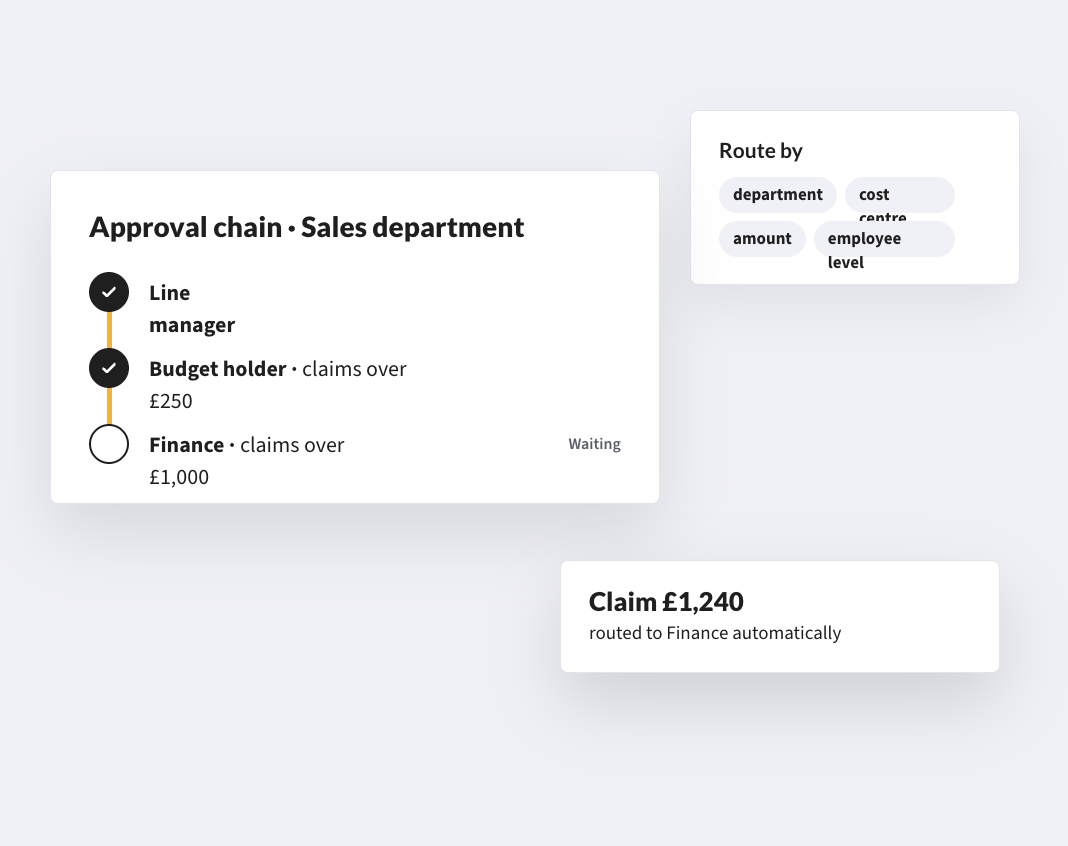
Site teams and surveyors photograph a receipt and submit from the app in seconds. If there is no signal, claims queue on the phone and sync when it returns. Approvals route to the right manager, and spend lands in your accounting system coded to the job or property.

*Expense Management is available today as a standalone product. Full integration with the platform is coming soon.
A workforce that moves, and mileage that keeps up

A workforce that moves, and mileage that keeps up

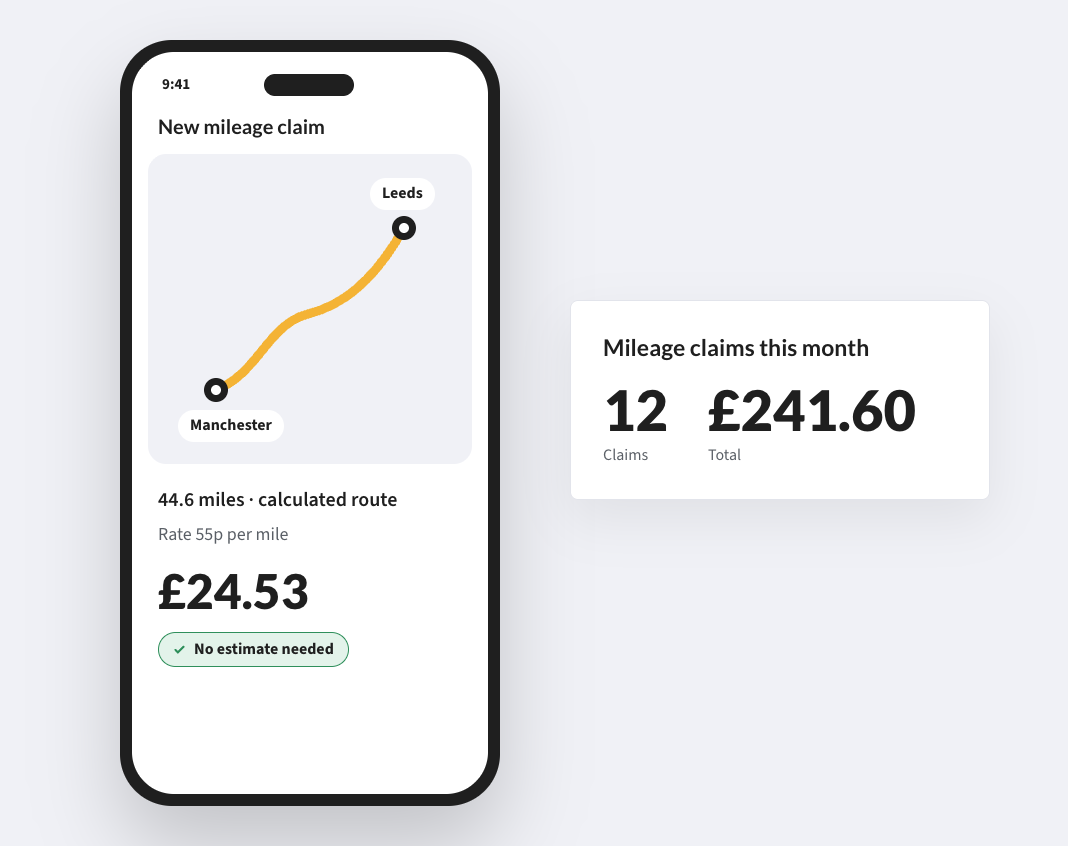
GPS and postcode mileage applies HMRC rates. A single claim can be split across job codes, and costs can carry a client or property reference so rebilling is a report. Daily allowances for extended postings are set once by location, duration or role.

CUSTOMERS

Construction and property firms already run on Webexpenses

Half
the time spent managing expense claims

“It took four days and a lot of Tippex. By the end of it, I was close to tears... Just get it automated; no need to hold back anymore!”

SmooveFinance Manager
Same day
payments for claimants

“Webexpenses ticks every box for us. From improved efficiency and compliance to faster payments and better user satisfaction, it has been a fantastic solution for our growing company.”

LW ColePurchase Controller
Half
the time to complete monthly expenses

“Webexpenses transformed our process enormously, reducing time spent on processing expense claims and streamlining the process for all of our employees.”

Barrett Corp & HarringtonBusiness Support Manager

FAQs

How does this work for people who are never near a desk?

The mobile app is the whole process. Photograph a receipt, log it, submit. If signal is patchy, claims queue and sync when it returns.

Can we track costs against job numbers, properties and client codes?

Yes. Cost codes, job numbers, property references and client codes are configurable and applied at the point of entry, so every claim is tagged before it reaches finance.

Can one claim be split across several jobs?

Yes. A single expense item can be split across cost centres or job codes at submission, by the worker or the manager, so your AP team does not adjust allocations by hand.

Do we pay for subcontractors once their contract ends?

No. You pay for active users, so subcontractors can be added when a contract starts and removed when it ends.

Does it work with our finance system?

Webexpenses has native connectors for Oracle, Sage Intacct and Sage 200, and approved data posts without re-keying. For other systems, we scope it in the discovery call.

Do we have to buy the whole platform?

No. Expense Management is available today as a standalone product. Other modules start with a discovery call so we can scope what you need.

How long does it take to get live?

Expense Management is set up in five phases: onboarding, integration, presentation, testing and migration, then launch and hypercare, with our team alongside you throughout. Platform modules start with a discovery call, where we scope what you need and how it would be set up.

Know the cost of the job before the final account

Orders, invoices, site spend and mileage against the job budget, as they happen.

See how your purchase-to-payment controls score →