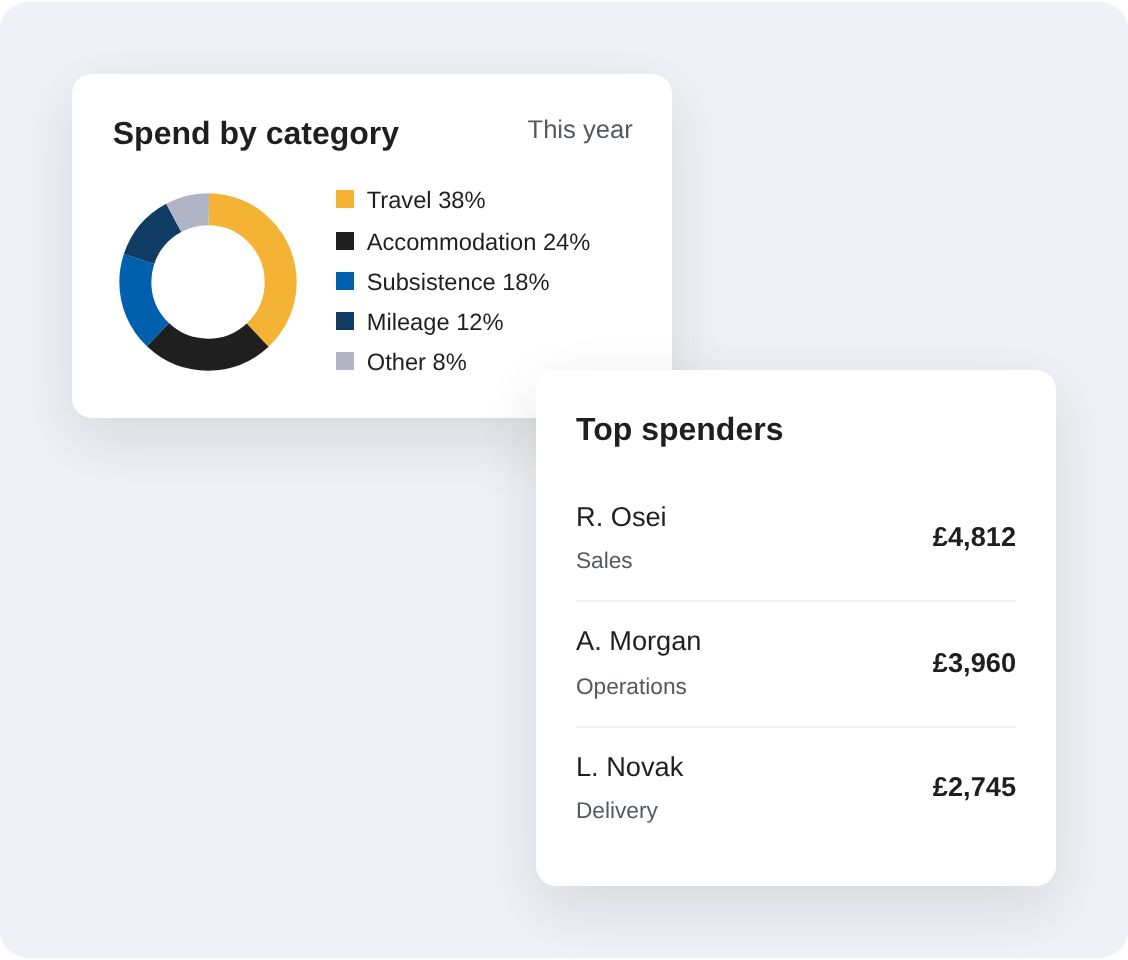
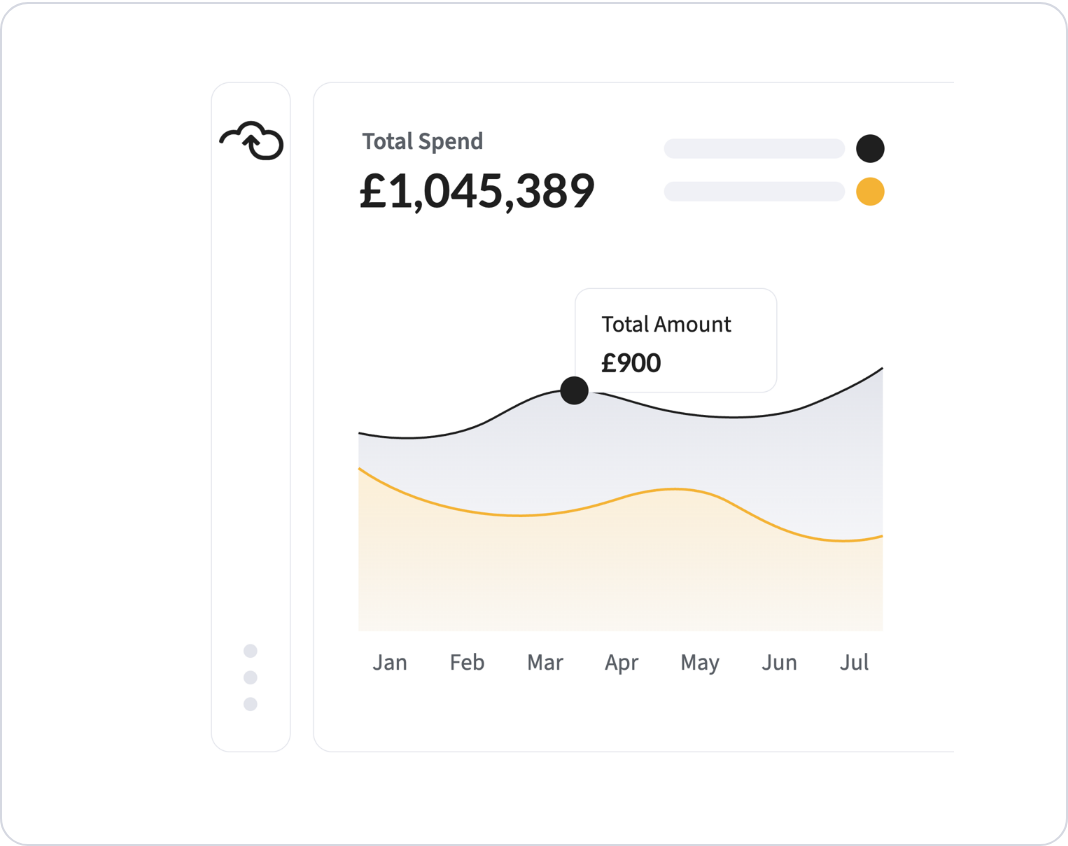
Month-end shouldn’t be the first time finance sees the numbers. Webexpenses captures claims and card transactions as they happen, so the dashboard shows live claim status, top spenders and spend by category at any point in the month. Spot a department running ahead of budget, a category creeping up or a claimant who’s out of step, and act while there’s still time to change the outcome.
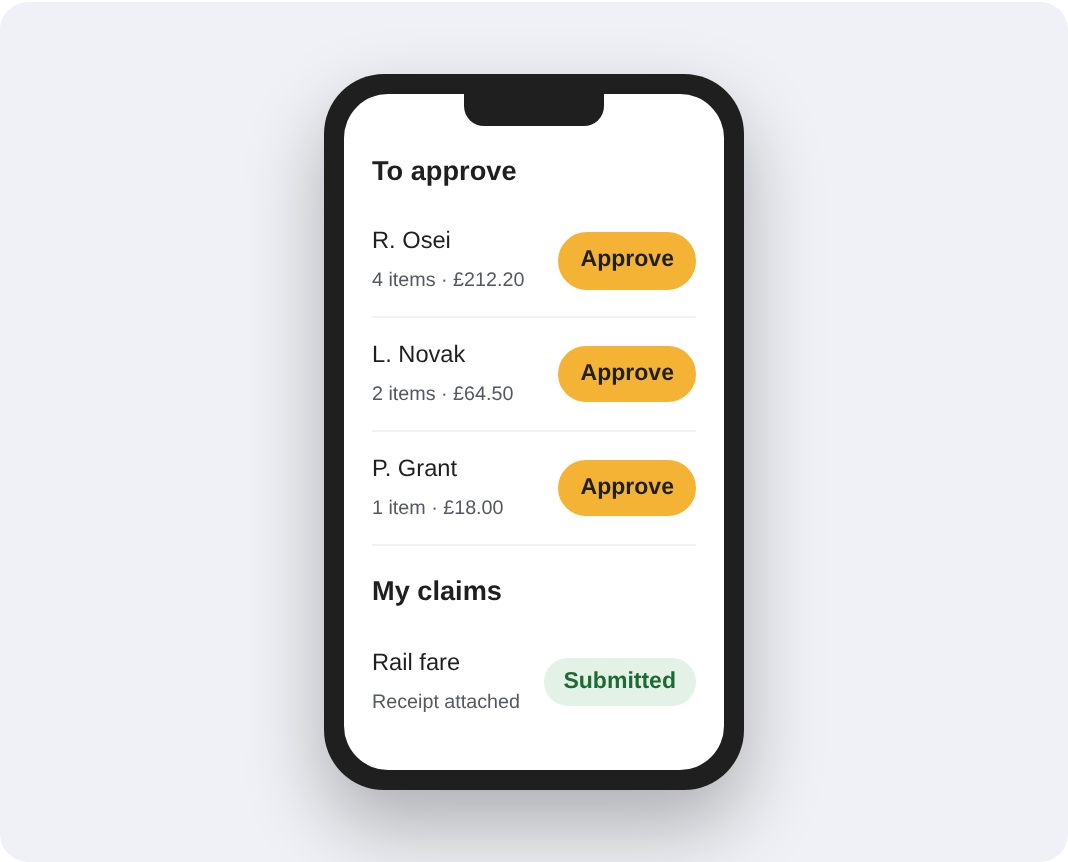
The data behind every report is captured at source. Employees snap receipts and submit claims on the go from the mobile app, managers approve in a few taps, and every item arrives coded with its receipt attached. No spreadsheets to consolidate, no paper to chase and no re-keying before the numbers can be trusted. By the time finance opens a report, the data is already complete and up to date.
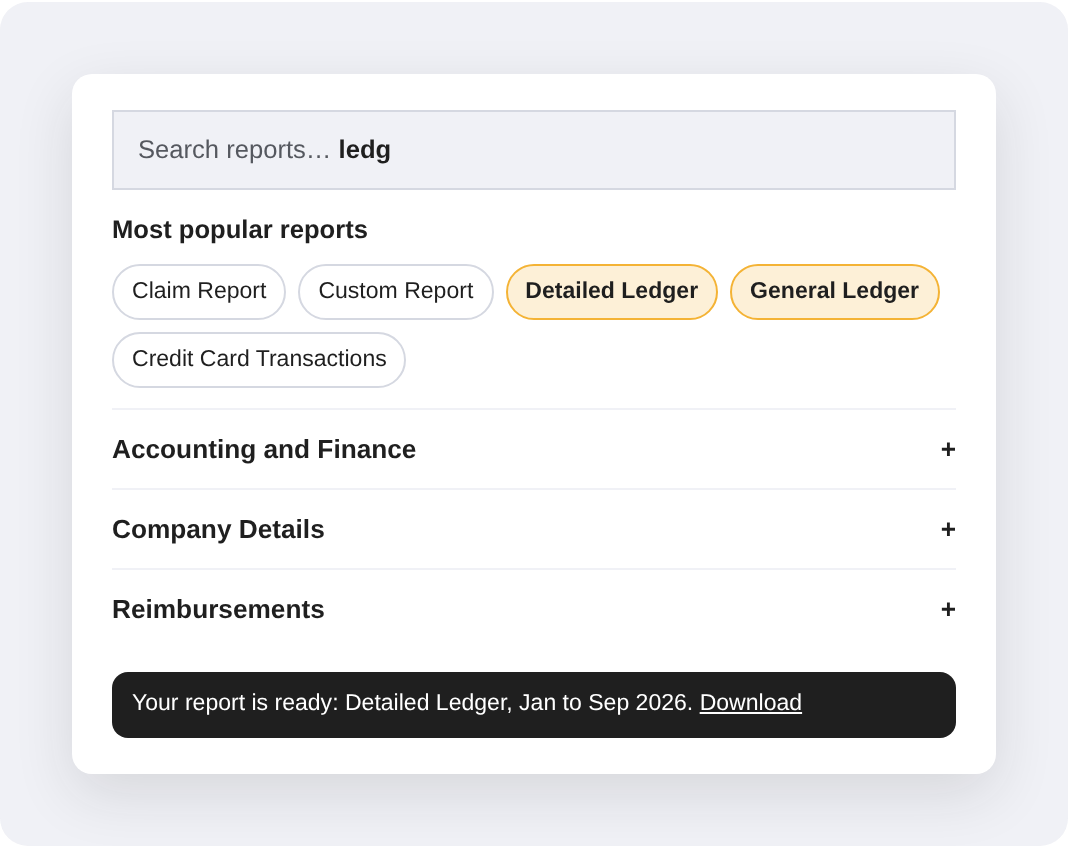
The reports finance uses most sit at the top of the menu: Claim Report, Detailed Ledger, General Ledger and Credit Card Transactions. Search finds anything else in seconds. When you need something specific, the custom report builder lets you pick the fields. Large or historical reports run in the background and alert you when they’re ready. Less admin, fewer errors and faster approvals add up to a quicker, cheaper month-end.
From the dashboard to the General Ledger, every report pulls from the same live data. Finance gets the figures in minutes instead of days, budget holders see where they stand, and leadership gets numbers they can act on.
Available via app and desktop, our expense reporting software includes:
“Webexpenses is easy to use and brilliant for both the customers and the people that need to report off the system.”
Admiral InsuranceCeri Rankin, Project Accountant
“I go in every morning, click into it, and know it will take me half an hour at most to get through 20 or 30 expenses. Webexpenses has changed my way of working.”
London Luton AirportMinhaj Haque, Accounts Payable
“Having a digital process has reduced the number of queries the finance team receives because of the increased visibility claimants have.”
Marshalls plcNick Haigh, Director of Financial Process & Transactions
Where reporting fits
Reporting shows you what’s happening. These pages cover what to do about it, and how it all comes together at month-end.
Real-time reporting
Live dashboards and pre-built and custom reports on every claim and card transaction.
Reports are only as good as the data behind them. Webexpenses connects to your finance system or ERP, so claims and card transactions flow into your ledger with the right codes, and General Ledger and Detailed Ledger reports match what’s in your accounts. Less reconciling between systems, fewer corrections, and month-end figures finance can stand behind.
Claims come in from the app and card transactions sync, each coded with its receipt attached.
See it
live
The dashboard shows claim status, top spenders and spend by category as it happens.
Run the
report
Pick from Most Popular Reports or search. Big reports run in the background and alert you when ready.
Real-Time Reporting FAQs
What is real-time expense reporting?
Real-time expense reporting means seeing company spend as it happens, rather than when claims are finally processed at month-end. Claims, card transactions and approvals are captured in one system, so reports and dashboards always reflect the latest position.
How does real-time expense reporting work?
Every claim and card transaction is recorded in Webexpenses as soon as it’s submitted or synced. The dashboard updates with live claim status, top spenders and category breakdowns, and any report you run pulls from the same up-to-date data. Large or historical reports run in the background, and you’re alerted when they’re ready to download.
Who needs real-time expense reporting?
Finance teams who close the books each month, budget holders who need to know where they stand, and leadership teams who want spend data they can act on. It’s most valuable once expenses are spread across several teams, cards or entities. If the goal is closing the month faster, see faster close and reporting.
What reports are available in Webexpenses?
Most Popular Reports puts the Claim Report, Custom Report, Detailed Ledger, General Ledger and Credit Card Transaction Report at the top. Templated reports also cover mileage, card transactions and CO2 emissions, alongside VAT reclaim analytics and a custom report builder. Search finds any report instantly, showing only the reports your permissions allow.
How can real-time expense reporting save money?
By showing problems while they’re still small. Overspend, out-of-policy claims and missed VAT are easier to fix mid-month than after the accounts are closed. Less time building spreadsheets also frees finance for analysis instead of admin. To stop overspend before it happens, pair reporting with spend control.
Can real-time expense reporting integrate with our existing software?
Yes. Webexpenses integrates with accounting, ERP and HR systems including Xero, Sage, Microsoft Dynamics and Oracle NetSuite. For systems without a direct integration, data can be transferred by CSV.
How much does real-time expense reporting software cost?
Reporting is part of Webexpenses, not a separate add-on. Plans start at £7.50 per user per month on Essential, with Scale at £9 and Pro at £13. See pricing for what each plan includes.
Real-Time Expense Reporting
See the new reporting in action
Take a look at the dashboard, Most Popular Reports and the custom report builder with one of our team, and see how quickly month-end figures come together.