Technology

Headcount, tools and renewals move faster than finance can track.

Contracts, supplier invoices and claims sit in one place, new starters and leavers are handled without tickets, and renewals are flagged before the date.

Sound familiar?

Twenty new starters after a funding round

Joiners expect kit, access and a way to claim from day one, and the finance admin starts before their accounts exist.

The restructure

Leavers keep access, claims arrive after the last day, and headcount changes faster than the user list.

Tools nobody approved

Subscriptions land on individual cards, and the spend nobody signed off shows up in the quarter’s numbers.

The renewal rolled over

A contract renews on its date because nobody was watching the date, and the bill is a surprise.

Remote, hybrid, everywhere

Teams work from home, from coworking spaces and from offices in several countries and currencies, so expenses follow no pattern.

IT wants a security review first

Before anything is signed off, a questionnaire arrives, and the answer has to be in documents, not on a call.

Get your P2P Control Score →

The AI FinOps Platform

Four modules that keep up with the team

Contract Management

Every agreement in one place, key dates in view, renewals flagged before the date. Spend checked against the terms you actually agreed.

Explore Contract Management →

Accounts Payable

Invoices read as they arrive, matched to the order and the receipt, and routed to whoever can approve them. More volume, same team.

Explore Accounts Payable →

Budgets

Budgets structured the way your business is, with every commitment measured against the right one before it is approved.

Explore Budgets →

Expense Management*

Out-of-pocket claims, mileage and card reconciliation. Policy applied as the claim is entered, and people paid without the chase.

Explore Expense Management →

*Expense Management is available today as a standalone Webexpenses product. Full integration with the platform is coming soon.

From new starter to posted spend

1

Join. A new starter is added through your HR system, so they have expense access when they begin.

2

Request. Spend is approved against budget before it is committed.

3

Read. Supplier invoices are read as they arrive and matched to the order.

4

Flag. Renewals are flagged before the date, so nothing rolls over unseen.

5

Leave. When someone goes, their access goes and their last claims are closed out.

Explore Contract Management → and Explore Budgets →

Designed for people who dislike bad software

Designed for people who dislike bad software

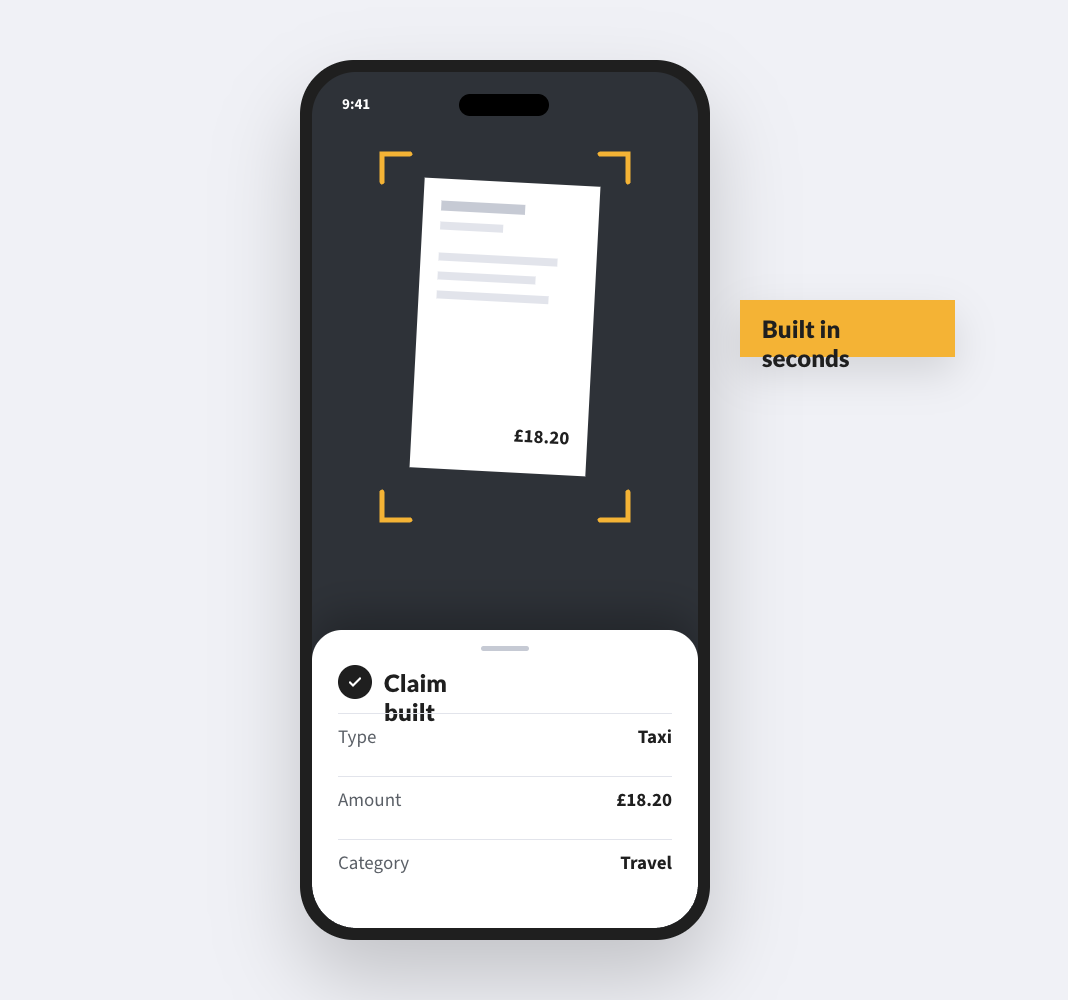
Webexpenses is rated 4.5+ stars on G2 and Capterra by the people who use it. Snap a receipt, categorise, submit. If the expense app is painful, claims arrive late, wrong or incomplete, and finance ends up fixing them.

*Expense Management is available today as a standalone product. Full integration with the platform is coming soon.
Connects to the stack you already run

Connects to the stack you already run

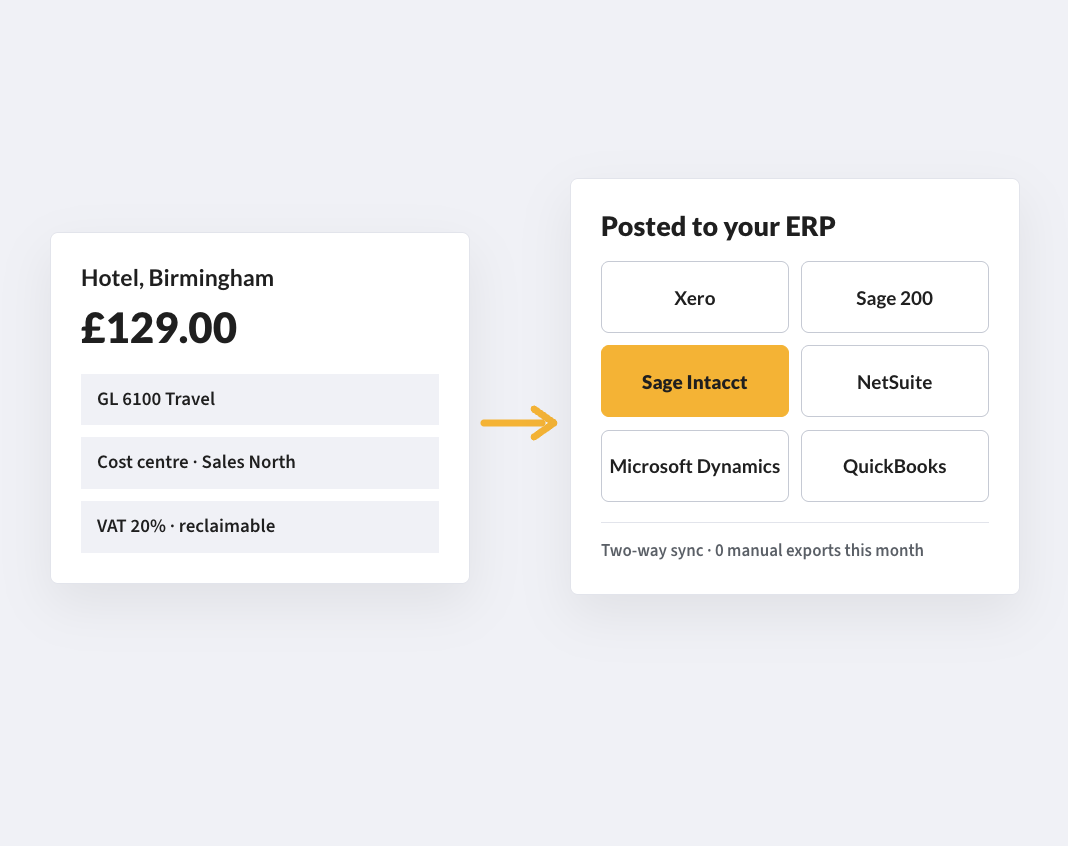
Native connectors for Oracle, Sage Intacct and Sage 200, with NetSuite and Microsoft Dynamics also supported, so approved data posts without re-keying. Different expense policies can be set for engineering, sales and the leadership team without developer access.
Security review without a sales call

Security review without a sales call

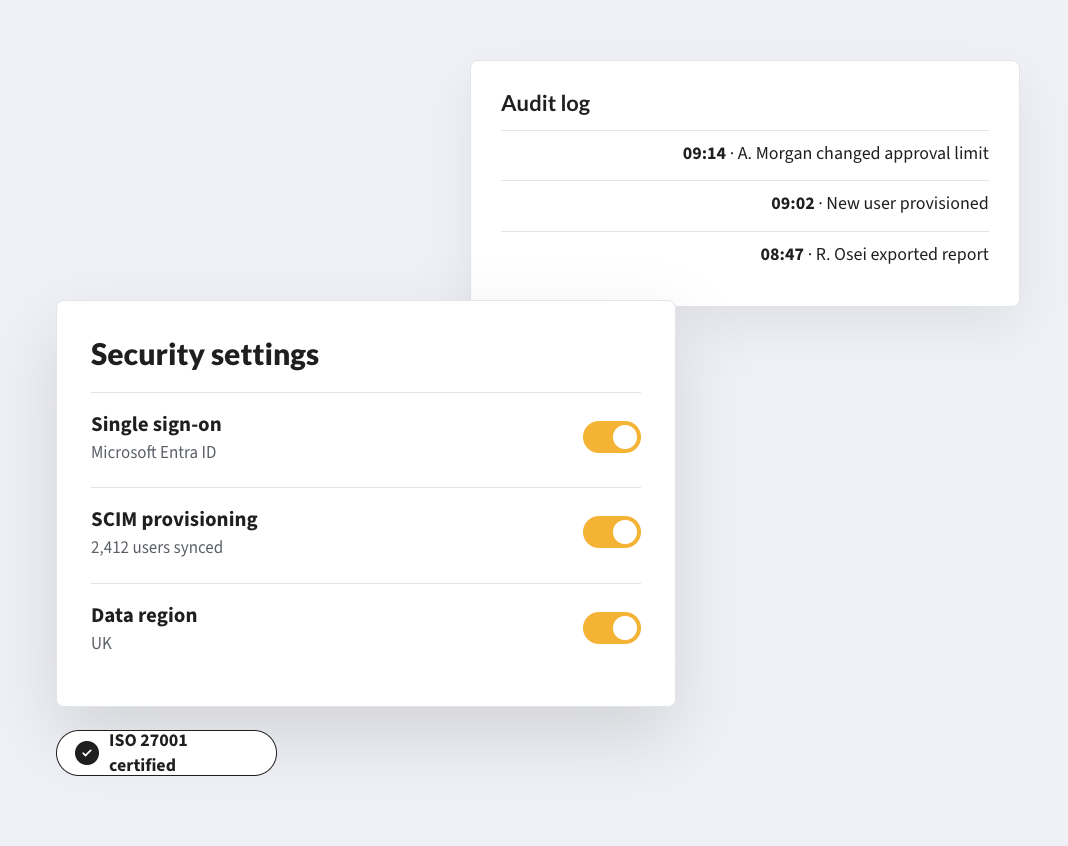
The Trust Centre at trust.webexpenses.com holds the ISO 27001 certificate, SOC 2 Type II report, PCI DSS attestation, GDPR data processing agreement and a penetration testing summary. Your security team gets documents, not a phone call.

See the Trust Centre →

CUSTOMERS

Technology companies already run on Webexpenses

5 minutes
saved on every individual claim

“The VAT amount is worked out automatically, saving the manual calculations and they can send the claim for approval electronically instead of waiting to see their manager.”

24 hours
from approval to processed claim

“Accounts Payable is no longer bogged down by double handling and manual entry all of which has resulted in much happier staff.”

Gamma SolutionsFinancial Director
Zero
training needed for the finance team on launch

“Webexpenses Invoice Processing frees up the finance team’s time. It’s fantastic that we can see an audit trail of all supplier spend – plus, it’s paper-free which is great!”

EvotixFinance Manager

FAQs

Does Webexpenses send approvals to Slack or Teams?

Approval notifications go by email and mobile push by default. Integrations with specific workflow tools can be scoped with the implementation team, so ask at demo stage if you have a requirement.

Can it sync employee data from our HR system?

Yes. Webexpenses integrates with the major HR platforms for employee data sync. Check the integrations page for the current connector list, or ask your demo contact about your stack.

Can we set different policies for different teams?

Yes. Policy rules can be set by team, role, department or individual: different limits, approval chains and receipt thresholds, without developer access.

Do we pay for every named seat?

No. You pay for active users, not named licences, so headcount can go up or down without renegotiating.

Do we have to buy the whole platform?

No. Expense Management is available today as a standalone product. Other modules start with a discovery call so we can scope what you need.

How long does it take to get live?

Expense Management is set up in five phases: onboarding, integration, presentation, testing and migration, then launch and hypercare, with our team alongside you throughout. Platform modules start with a discovery call, where we scope what you need and how it would be set up.

Keep finance in step with the team

Contracts, invoices and claims in one place, and renewals flagged before the date.

See how your purchase-to-payment controls score →