Retail

Stores spend every day. Head office finds out at month-end.

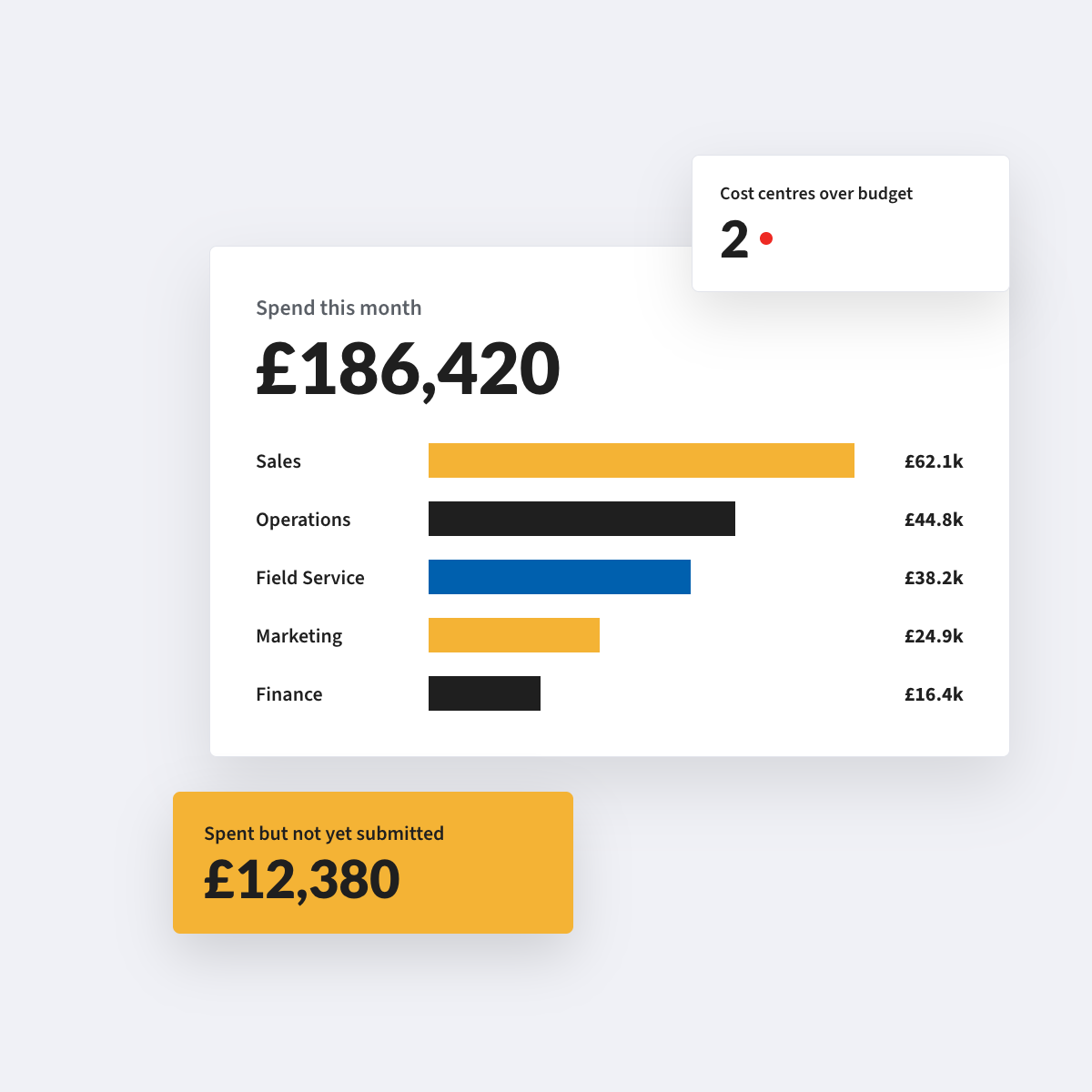
Store managers, area managers and head office work from the same live position: supplier invoices, card spend and claims, coded to the right store.

Sound familiar?

The invoice goes to head office. The delivery went to the store.

Supplier invoices pile up at the store support centre, and the only people who know whether the goods arrived are in the store.

Petty cash and floats with no trail

Store-level cash gets spent on the day, and the receipts end up in an envelope that reaches head office a month later, or not at all.

A refit lands on one store’s P&L

Project spend and capex get coded to the wrong store or the wrong line, so the store P&L tells you the wrong story.

Christmas temps in March

Seasonal colleagues join and leave in waves, and access, approvals and claims lag behind the roster.

The area manager is on the road

Visual merchandisers and area managers travel between stores and claim mileage, hotels and subsistence weeks afterwards.

Goods for resale, and everything else

Spend on goods not for resale is scattered across the estate, so nobody can see what the business spends with one supplier.

Get your P2P Control Score →

The AI FinOps Platform

Four modules that put every store’s spend in view

Accounts Payable

Invoices read as they arrive, matched to the order and the receipt, and routed to whoever can approve them. More volume, same team.

Explore Accounts Payable →

Purchase Orders

Requests raised in one place and approved against budget and policy before the money is committed. Nothing bought off-contract.

Explore Purchase Orders →

Budgets

Budgets structured the way your business is, with every commitment measured against the right one before it is approved.

Explore Budgets →

Expense Management*

Out-of-pocket claims, mileage and card reconciliation. Policy applied as the claim is entered, and people paid without the chase.

Explore Expense Management →

*Expense Management is available today as a standalone Webexpenses product. Full integration with the platform is coming soon.

From the shop floor to the store P&L

1

Request. A store raises what it needs, approved against that store’s budget before the money is committed.

2

Read. The supplier invoice is read as it arrives at the support centre, line by line.

3

Match. It is checked against the order and the receipt, and coded to the right store.

4

Approve. The area manager approves within their patch. Head office sees everything.

5

Post. Coded data is written to your ledger, so the store P&L is current at period close.

See three-way matching → and Explore Budgets →

One view across the whole estate

One view across the whole estate

Ten stores or two hundred. Store managers spend against their own store, regional managers approve within their patch, and head office sees the whole estate in one place. Approval routing follows your organisation structure, and if an approver is unavailable, claims escalate after a set period.
Peak season without peak admin

Peak season without peak admin

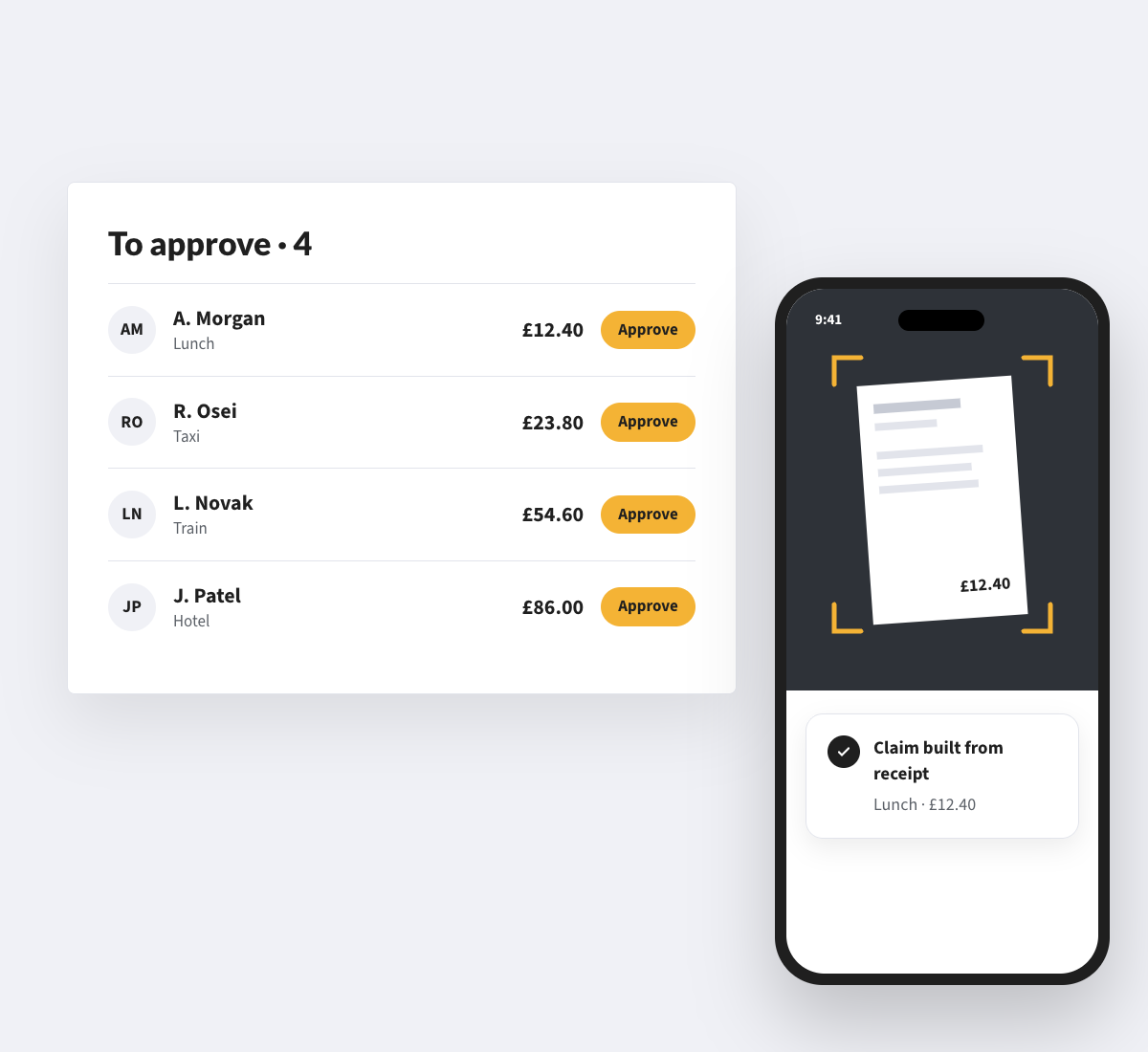
Connect Webexpenses to your HR system and new colleagues get access as part of their onboarding, and leavers lose it when they go. You pay for active users, so you are not paying for Christmas temps in March.
Cards for the people who buy for the store

Cards for the people who buy for the store

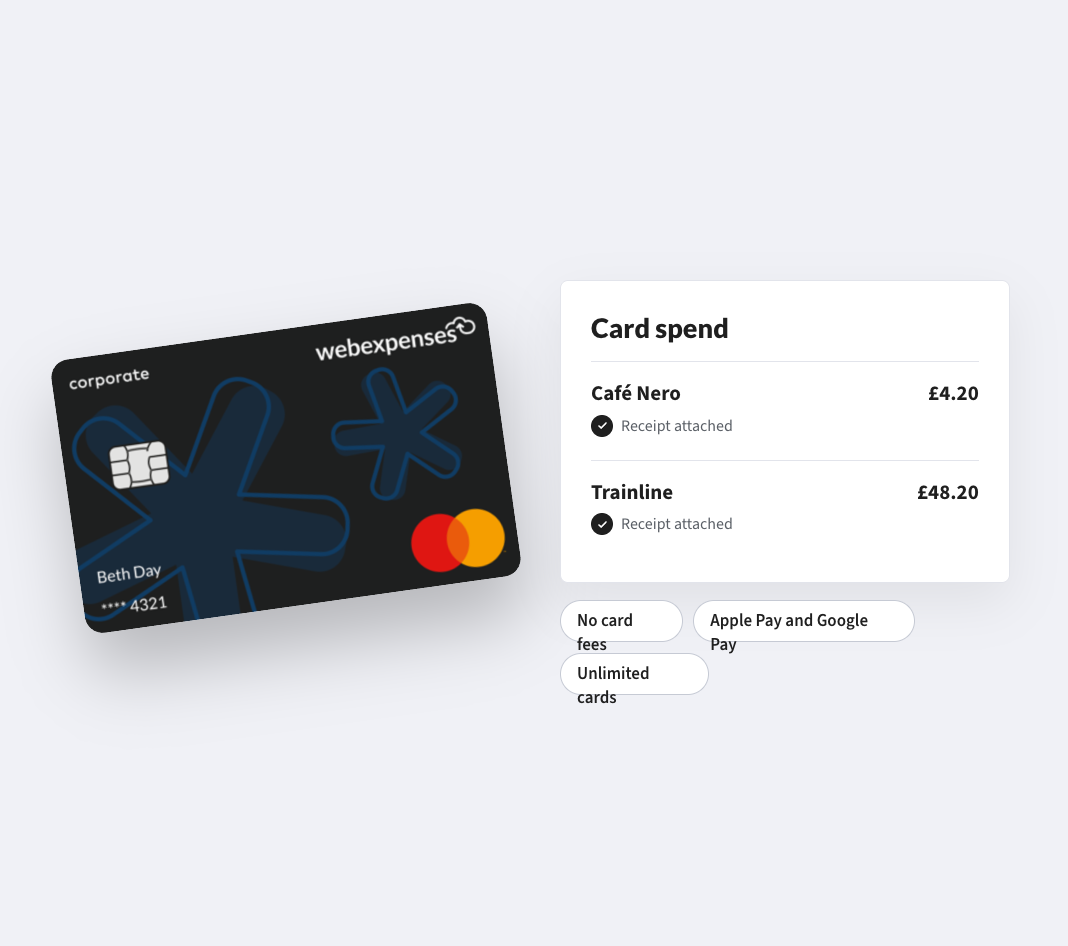
Expense cards can be issued to store managers for petty cash and operational spend, and card transactions are imported and matched to receipts, so there is no spreadsheet to reconcile.

*Expense Management is available today as a standalone product. Full integration with the platform is coming soon.

CUSTOMERS

Retailers already run on Webexpenses

Half
the time to approve and process claims

“We have effectively cut the time it takes to approve and process claims in half, freeing up colleagues and payroll time to better serve our customers and the business.”

Pets at HomeFinance Director
1,500
supplier invoices a month, processed efficiently

“We have full visibility of our supplier invoices process which is fantastic. Another key factor for us was to be more sustainable. Now, having a paperless process, we’ve made a massive step towards this.”

Gift Universe GroupFinancial Controller
3 days to 1
the time the expense process takes

“There’s no need to chase on receipts or manually attach them to claim forms or spreadsheets, users simply email receipts through, or upload them via the Webexpenses mobile app. As it’s cloud-based software, users can view their account on any device at any time.”

FAQs

We have head office staff and a large store-based workforce. Can we manage both on one platform?

Yes. Policies, approval chains and spending limits are configurable by team, role or location, so head office and store staff each work under the rules that suit them. Central finance keeps oversight of everything.

How does VAT work on store purchases?

VAT is captured from submitted receipts and categorised against the correct rate, so the reclaim data is clean without a manual review step.

Can store managers approve their own team’s spend?

Approval routing follows your structure, so a store manager can approve their team and an area manager can approve across their stores. Limits are set per role.

Does it work with our finance system?

Webexpenses has native connectors for Oracle, Sage Intacct and Sage 200, and approved data is posted without re-keying. For other systems, we scope it in the discovery call.

Do we have to buy the whole platform?

No. Expense Management is available today as a standalone product. Other modules start with a discovery call so we can scope what you need.

How long does it take to get live?

Expense Management is set up in five phases: onboarding, integration, presentation, testing and migration, then launch and hypercare, with our team alongside you throughout. Platform modules start with a discovery call, where we scope what you need and how it would be set up.

Give every store the same live position

Store managers spend. Head office sees it the same day.

See how your purchase-to-payment controls score →

Platform

FRONT OFFICE

BACK OFFICE

Capabilities

EXPENSES

ACROSS THE PLATFORM

TRUST AND ROADMAP