Free infographic

The anatomy of an order

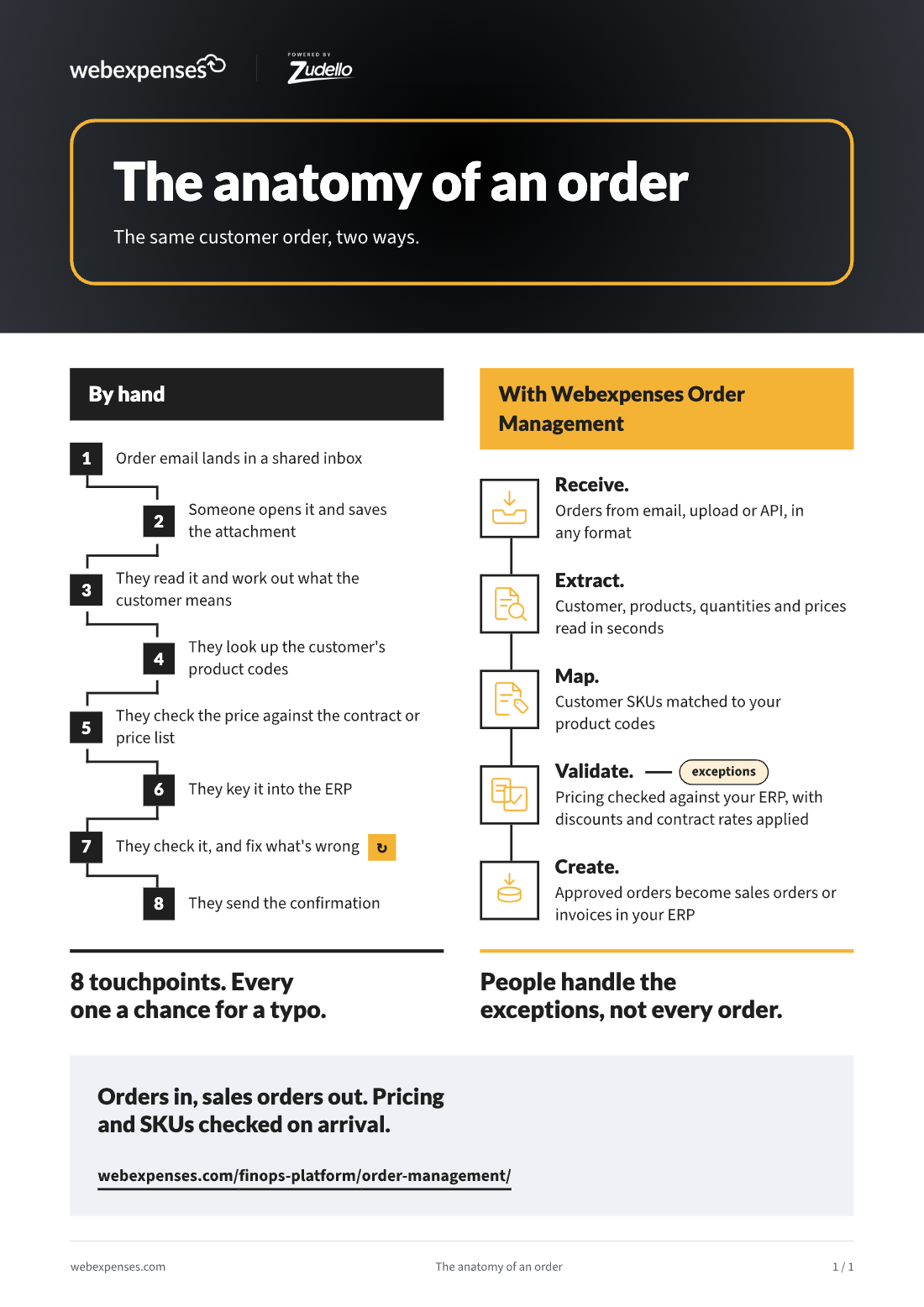
The same customer order, handled two ways: eight manual touchpoints by hand, or five steps with Webexpenses Order Management, where people only handle the exceptions.
1 page · Infographic · No sign-up needed

At a glance

Eight touchpoints, or five steps

  1. 01By hand, every order takes eight touchpoints. From the shared inbox to the confirmation, each one is a chance for a typo.
  2. 02Automated, it takes five steps. Receive, extract, map, validate and create, with pricing and SKUs checked on arrival.
  3. 03People handle the exceptions, not every order. Anything that doesn’t match goes to the right person to fix.

1. The order, by hand

  1. The order email lands in a shared inbox.
  2. Someone opens it and saves the attachment.
  3. They read it and work out what the customer means.
  4. They look up the customer’s product codes.
  5. They check the price against the contract or price list.
  6. They key it into the ERP.
  7. They check it, and fix what’s wrong.
  8. They send the confirmation.

Eight touchpoints. Every one a chance for a typo.

From the infographic

2. The same order, automated

  1. Receive. Orders arrive from email, upload or API, in any format.
  2. Extract. Customer, products, quantities and prices are read in seconds.
  3. Map. Customer SKUs are matched to your product codes.
  4. Validate. Pricing is checked against your ERP, with discounts and contract rates applied. Exceptions go to a person.
  5. Create. Approved orders become sales orders or invoices in your ERP.

3. What changes

Orders in, sales orders out. Pricing and SKUs are checked on arrival, so a wrong price or an unknown product code is caught before it reaches your ERP or your warehouse, not when the customer finds it.

For the full cost of handling orders by hand, read The hidden cost of every customer order.

Want to put a number on your manual orders? The Order Cost Calculator shows what keying orders costs your business.

Written for the people who sign it off and the people who make it work

For the decision-maker

CFO, Finance Director, Operations Director

A one-page picture of where manual order entry costs time and creates errors, to share with whoever will fund a fix.

For the team doing the work

Sales admin, customer service and order teams

A clear before-and-after of the order process, useful for mapping how orders reach your ERP today.

See where your orders could go

Book a discovery call and we’ll talk through how orders reach you today. Then we’ll tailor a demo to what matters to you.

Platform

FRONT OFFICE

BACK OFFICE

Capabilities

EXPENSES

ACROSS THE PLATFORM

TRUST AND ROADMAP