Managing employee expenses manually often results in delays, confusion, and frustration. The root cause? Outdated manual processes that don’t fit today’s fast-paced business environment. Employees need a solution that not only streamlines the expense claim process but also frees up time and improves overall productivity.
Let’s explore why automating employee expenses is essential and how it can solve common challenges like delays, complex approval workflows, and confusion around policies.
- Why are Employee Expenses Often Delayed?
- The Impact of Manual Expense Claims
- Streamline Expenses Policies with Automation
- Set Up Automated Reminders to Avoid Missed Deadlines
- Simplifying the Approval Process with Automation
- Automate Approval Workflows
- Improve Employee Productivity by Automating Expenses
- Get Started with Webexpenses
Why are Employee Expenses Often Delayed?
Delays in employee expense claims are more common than businesses realise. From manual processing to complex approval workflows, several factors contribute to delayed reimbursements, including:
- Lack of clarity on what can and cannot be expensed
- Unawareness of deadlines and submission times
- Time-consuming manual processes
To tackle these problems, implementing automated expense management software can make a significant difference. By allowing employees to digitally build and submit their claims in real-time, businesses can gain full visibility into expenses, while eliminating the bottlenecks caused by outdated methods.
The Impact of Manual Expense Claims
Without automation, employees are left juggling receipts and forms, leading to errors, lost receipts, and missed deadlines. Consider the scenario of an employee on a business trip who must save receipts for train tickets, meals, and other costs. Rather than focusing on preserving receipts, employees are more likely to focus on their immediate task, increasing the risk of losing important documentation.
How Can Automation Help?
By switching to a mobile expense app, employees can:
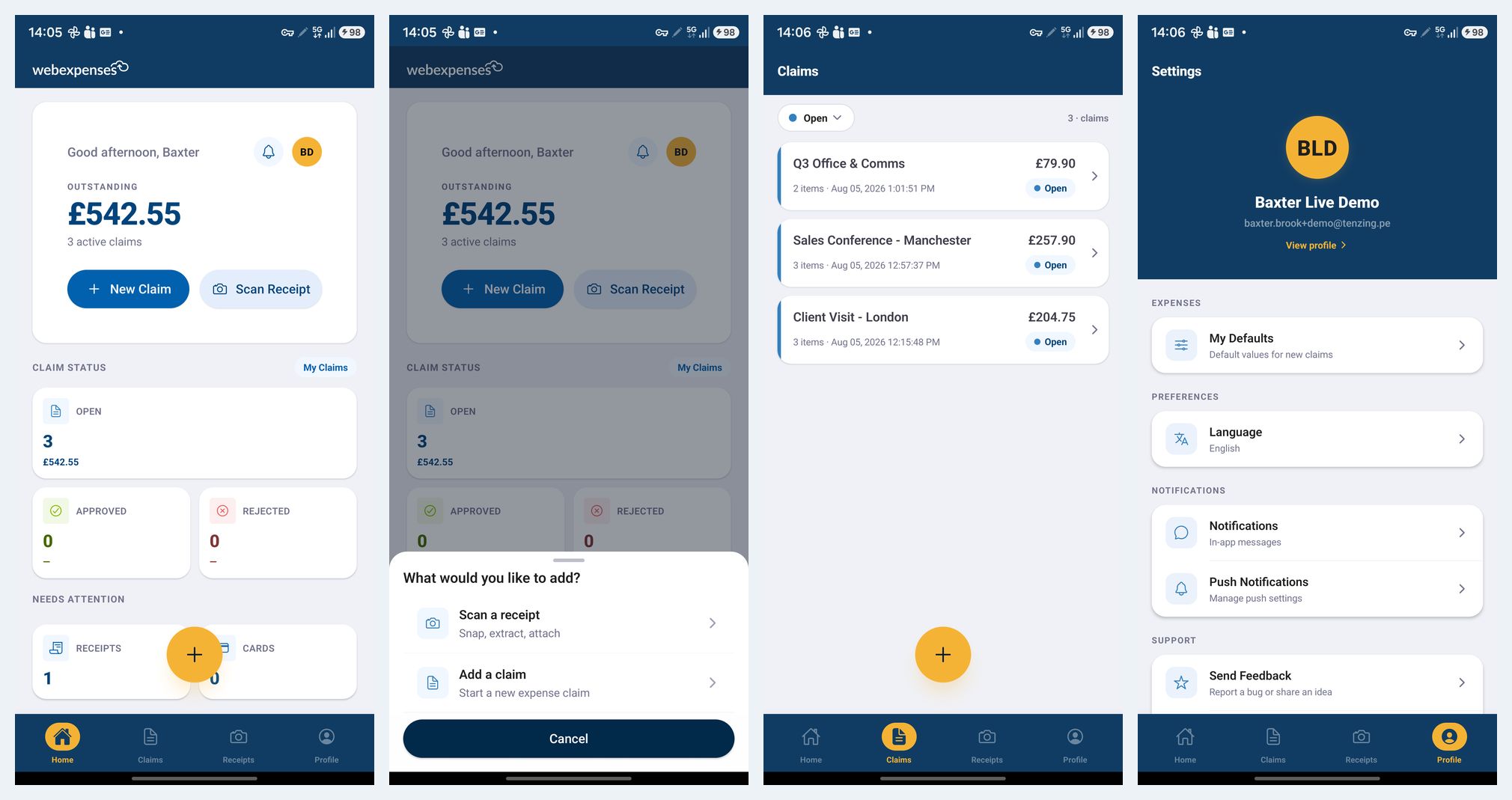
- Submit claims instantly by capturing receipt data on the go
- Track expenses in real-time
- Receive alerts when claims are out of policy
Automation reduces the risks of misplaced receipts and missed submissions, making it easier for employees to stay compliant and efficient.
Streamline Expenses Policies with Automation
One major reason for delayed expense submissions is a lack of understanding of the company’s expense policy. Many employees are unsure of what they can and can’t expense, leading to confusion and delayed claims.
Establish Clear Expense Policies
By creating a clear, automated expense policy with categories and spending limits, employees can avoid the guessing game. Categories like accommodation, travel, meals, and entertainment can each have specific limits, reducing the likelihood of overspending. For instance, your business may set a meal allowance of £20 for breakfast and lunch, and £35 for dinner.
An automated system makes these policies easily accessible, reducing confusion and ensuring employees stick to the limits, which streamlines approval and reimbursement.
How does this help employees submit expenses on time?
- No more second-guessing what they should be expensing
- Less confusion between the employee and finance team
- A clearer understanding of their spend limit
Set Up Automated Reminders to Avoid Missed Deadlines
Managing employee expenses is rarely at the top of an employee’s to-do list. It’s easy to forget to submit expense claims until it’s too late, which causes frustration for both employees and finance teams.
Use Automated Notifications
With automated expense software, companies can set up regular notifications reminding employees to submit their claims. Notifications can be customised to fit specific timelines and urgency levels, such as a reminder a day before the deadline. These reminders can be sent through the mobile app or desktop, ensuring employees never miss a submission.
Simplifying the Approval Process with Automation
Why does it take so long to approve employee expense claims? One of the biggest culprits is a complex approval process. Multiple levels of manual approval can slow down reimbursements, leaving employees frustrated and waiting for their money.
Automate Approval Workflows
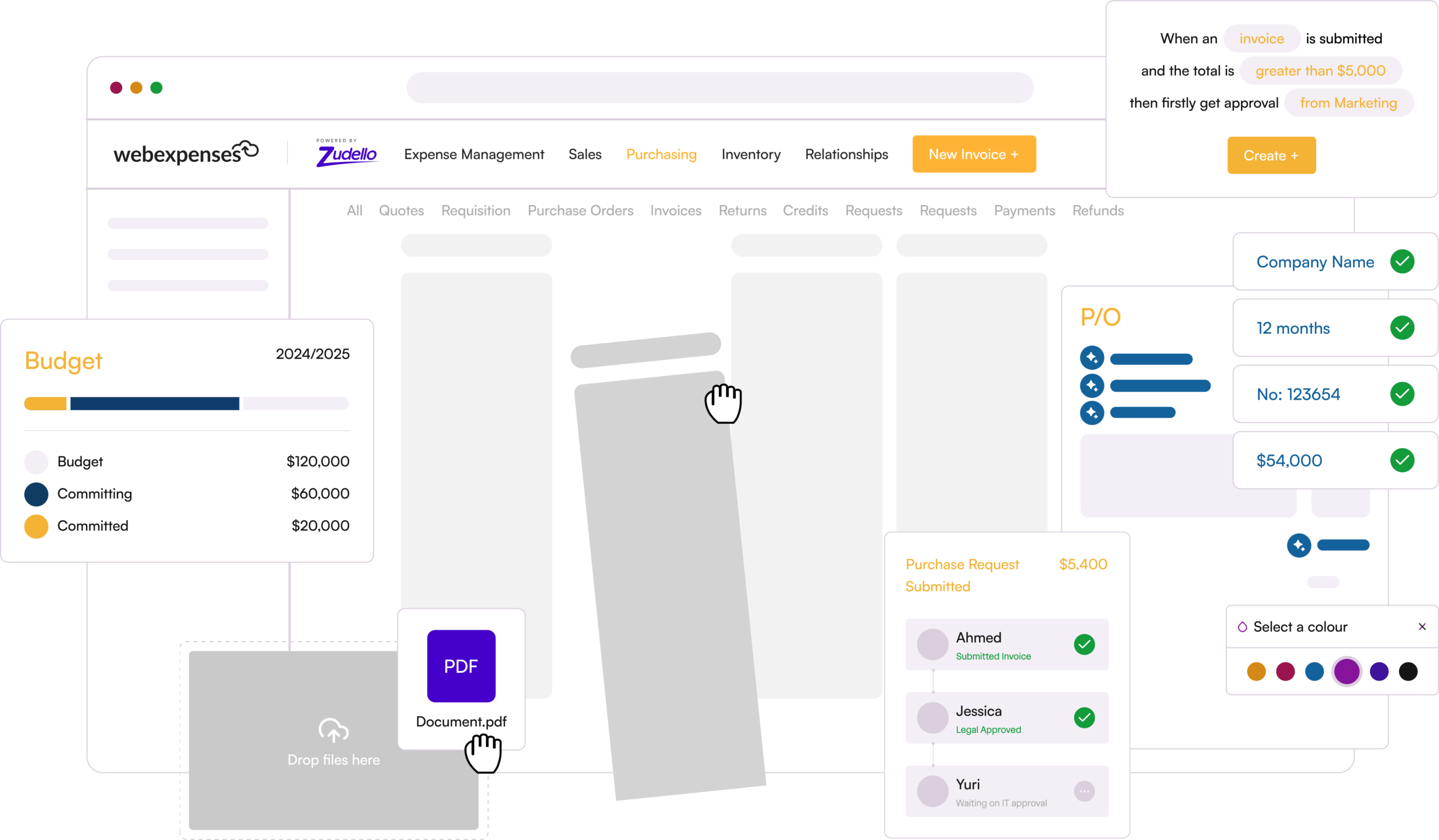
By implementing automated approval workflows, businesses can streamline the approval process, ensuring that expense claims are routed directly to the right approvers. This reduces the risk of bottlenecks and ensures that approvals happen quickly, even when managers are unavailable.
Improve Employee Productivity by Automating Expenses
Employees can become discouraged when managing expenses is a tedious, time-consuming task. Spending time on manual processes often means less time for more important work, which negatively impacts overall productivity and morale.
Boost Productivity with Automation
Using automated expense management solutions can save employees from the grind of manual entry, allowing them to submit expense claims quickly and easily. This reduces the need for long hours spent sorting through receipts and forms and gives employees more time to focus on core tasks.
In turn, businesses benefit from increased efficiency, fewer errors, and a happier, more productive workforce.
Get Started with Webexpenses
If you’re ready to improve your expense management process, automate approvals, and increase employee satisfaction, Webexpenses can help. Our advanced solutions are designed to make managing employee expenses seamless, efficient, and error-free.
Book a free demo today and discover how Webexpenses can transform the way you handle expense claims and reimbursements.