Who is MYOB?
MYOB is an Australian-based cloud ERP software provider that offers a range of business solutions for small to large enterprise businesses, all within one single platform.
What is MYOB Advanced?
MYOB recently launched MYOB Advanced. MYOB Advanced helps growing businesses to organise financial, customer and inventory management, and project accounting. MYOB allows customers to manage tasks remotely and on the go whilst easily connecting with other systems. It is designed for businesses with 20+ employees, with more than 2 million dollars in revenue per annum.
How does MYOB integrate with Webexpenses?
With the click of a button, Webexpenses API integration allows your business to transfer data with ease – both in and out of the system. It is configured to work perfectly alongside MYOB allowing you to hit the ground running.
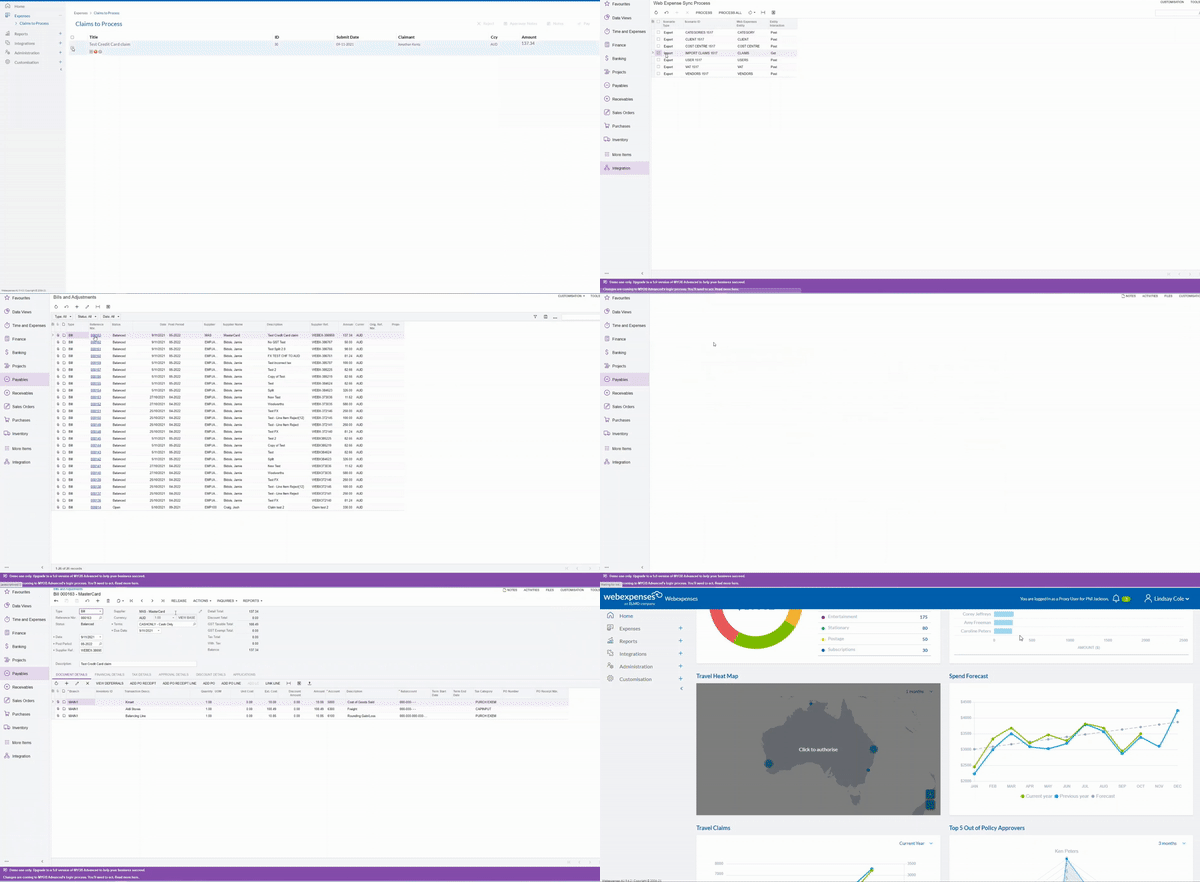
How does Webexpenses fit into your business solutions?
Webexpenses gives MYOB users easy access to an expense management and credit card reconciliation solution. Webexpenses offers a range of features, including:
Credit Card Reconciliation
Credit Card Reconciliation is a powerful tool for Accounts teams to manage credit card claims from one screen. With this feature, businesses can speed up month-end processes by:
- Sending automatic nudge notifications to claimants/approvers
- Filtering claims by date, user, type, and more
- Using the check functionality to organise claims
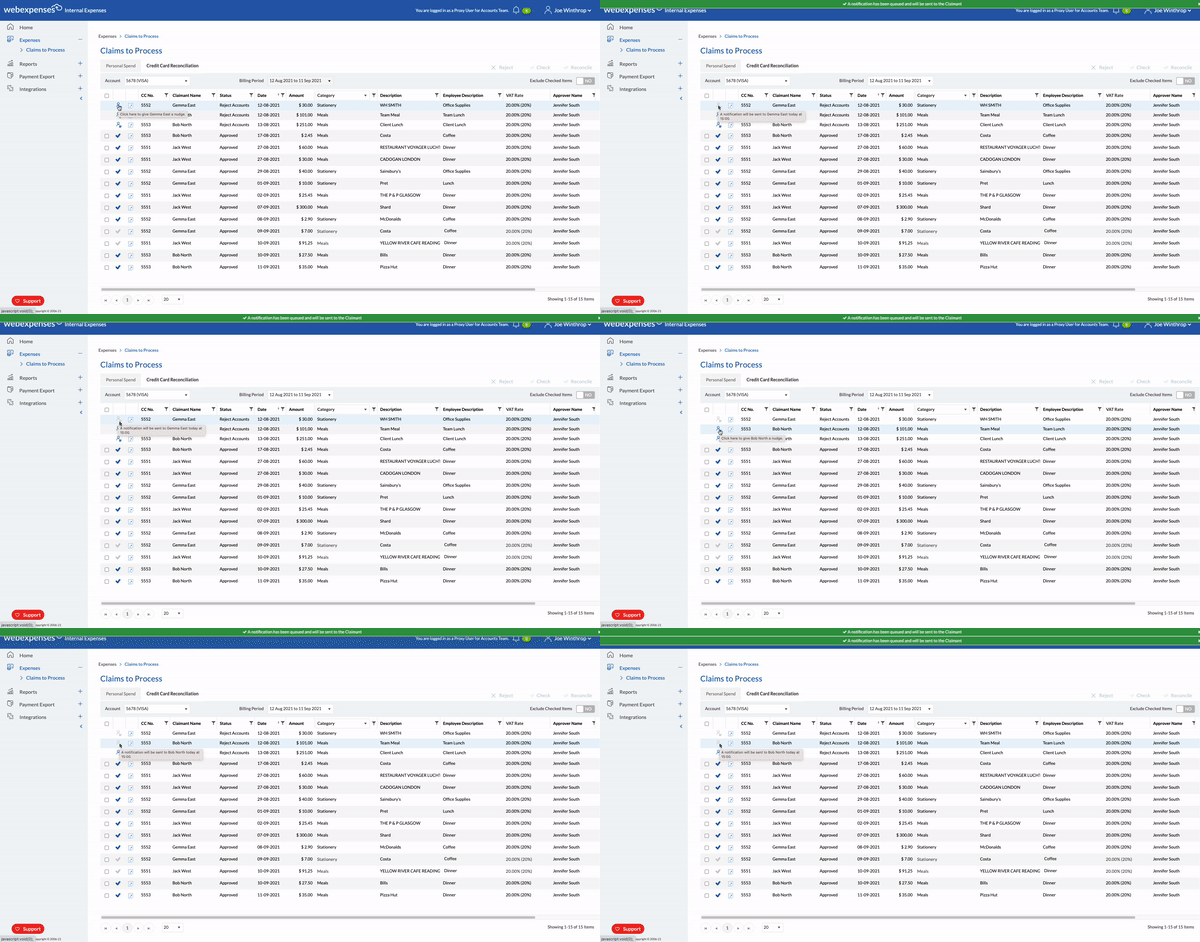
Once statements have been reconciled, credit card expense data will be pushed over to MYOB Advanced ledgers for quick and easy reimbursement.
Expense Management
Webexpenses is accessible through desktop and mobile – from anywhere. Like MYOB, Webexpenses can be used on the go. Users can build and submit claims, and approvers can review, accept or reject claims simultaneously. Webexpenses’ digital approach to expenses helps MYOB users to streamline their financial data across the entire business.
Key features include:
- OCR technology: Capture your receipt, add it to the Webexpenses App, and build a claim in seconds.
- Intelligent Receipt Matching: Snap a picture of your receipt, and automatically pair it with the correct credit card claim.
- Mileage tracking: Users can accurately calculate mileage on the Webexpenses App by using waypoints or the drag and drop feature.
- Accounts + Admin dashboard: Use the Webexpenses dashboard for an interactive way of analysing a high-level overview of company spend in a visual format.
Want to find out more about Webexpenses’ integration with MYOB?
If you’d like to explore this integration further, read more about Webexpenses and MYOB. Interested in booking a demo? Please get in touch with the Webexpenses team.